Capture messy input
Paste copied text, choose images, take a photo, use clipboard shortcuts, or dictate with voice.
 CueKit
Action inbox for Apple Intelligence
Paste a message, choose a photo with text, capture a screenshot, or dictate a quick note. CueKit helps you review the next step and route it to the right Apple app.
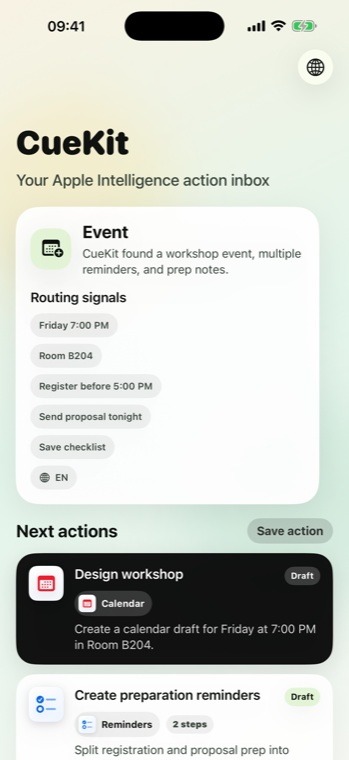
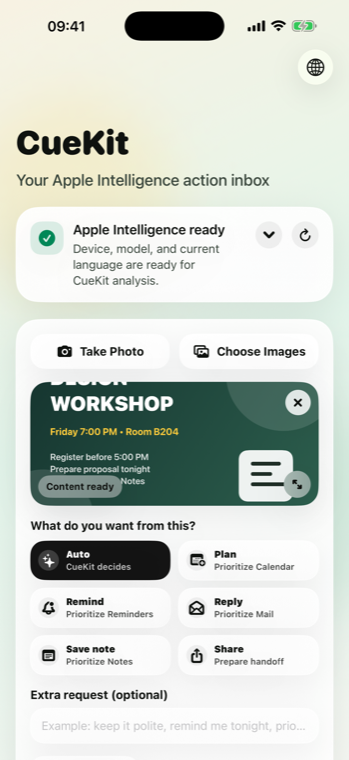
How CueKit works
CueKit prepares the action. You stay in control and confirm before anything is added, sent, saved, or shared.
Paste copied text, choose images, take a photo, use clipboard shortcuts, or dictate with voice.
Auto, Plan, Remind, Reply, Save Note, or Share tells CueKit what kind of result you expect.
CueKit suggests events, reminders, replies, notes, and shareable summaries you can edit before handoff.
Handoff
CueKit does not try to replace Calendar, Reminders, Mail, Notes, Clipboard, or Share Sheet. It prepares the handoff and lets you decide.
✦
CueKit requires iOS 26 or later and Apple Intelligence enabled. Unsupported devices see clear guidance instead of a degraded experience.
CueKit is built around local review and intentional handoff. It prepares drafts from content you provide, then waits for your confirmation.
Read Privacy PolicyFAQ
No. CueKit prepares editable drafts and asks you to confirm before creating anything.
CueKit explains the issue and asks you to choose another image or enter text manually.
CueKit is intended for devices that support Apple Intelligence on iOS 26 or later.